Compliance Excellence: Recommended Policies, Framework Context, and Drill-Down Modals
March 2026
This week’s updates transform the Compliance and Insights dashboards from passive viewers into active fleet management tools. Here’s what’s new.
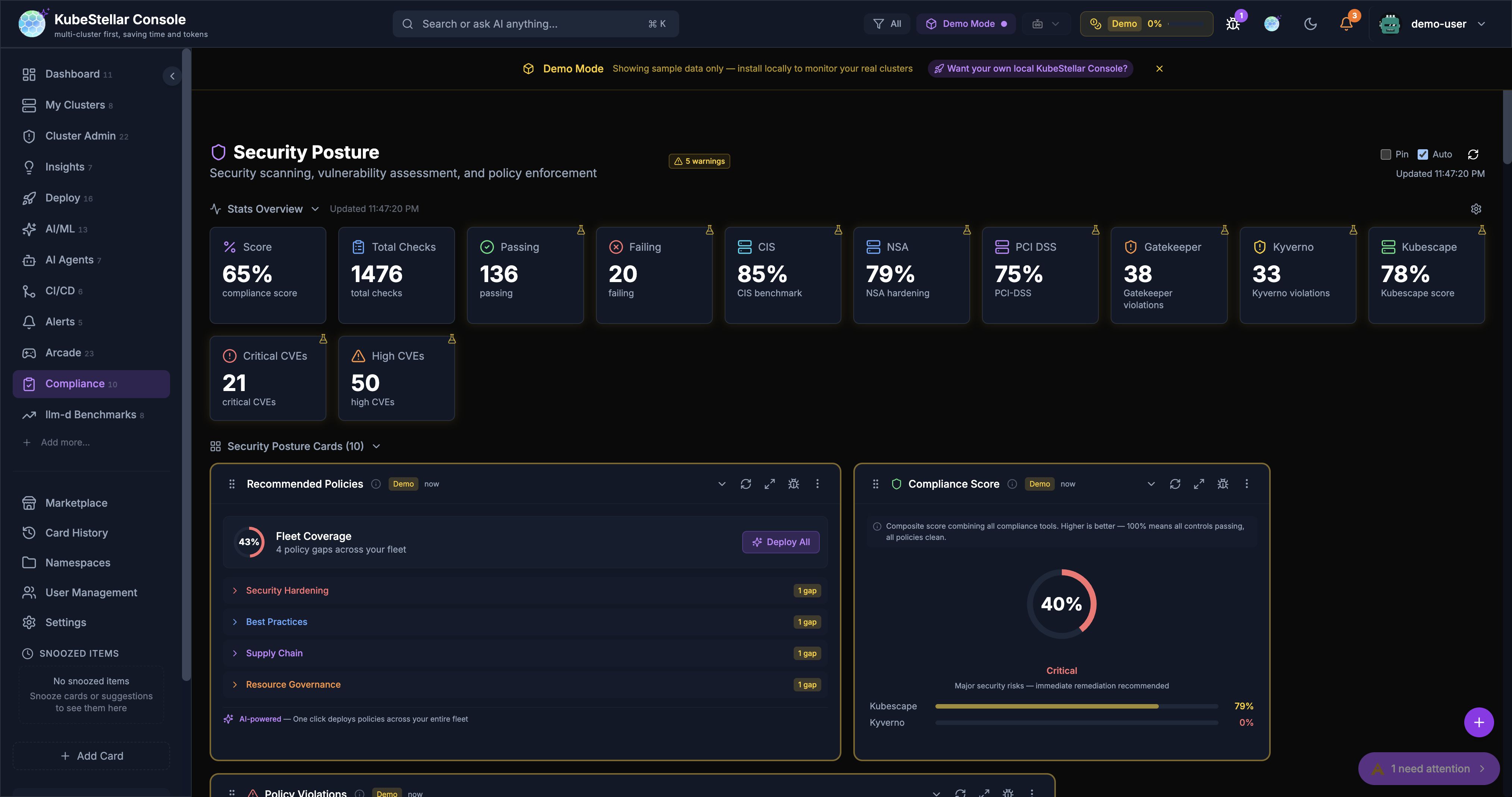
Recommended Policies Card
The new Recommended Policies card is the centerpiece of the Compliance dashboard. It analyzes policy gaps across your entire fleet and recommends 7 curated policies across 4 categories:
- Security Hardening — disallow privilege escalation, require non-root containers
- Best Practices — require resource limits, liveness probes
- Supply Chain — restrict image registries
- Resource Governance — require namespace resource quotas
Each policy shows a fleet coverage bar indicating how many clusters are protected. A circular Fleet Coverage gauge provides an at-a-glance compliance posture score.
One click on Deploy All triggers an AI Mission to deploy Kyverno audit-mode policies fleet-wide. Individual policies can be deployed one at a time.
Framework Descriptions and Context
All compliance cards now include contextual banners explaining what they measure and why it matters:
- Kubescape Scan — shows framework descriptions (NSA-CISA, MITRE ATT&CK, CIS Kubernetes Benchmark), score context labels (Excellent/Good/Needs Attention/Critical), and per-control pass/fail summaries
- Trivy Scan — explains each severity level with actionable guidance
- Compliance Score — displays per-tool progress bars with score interpretation
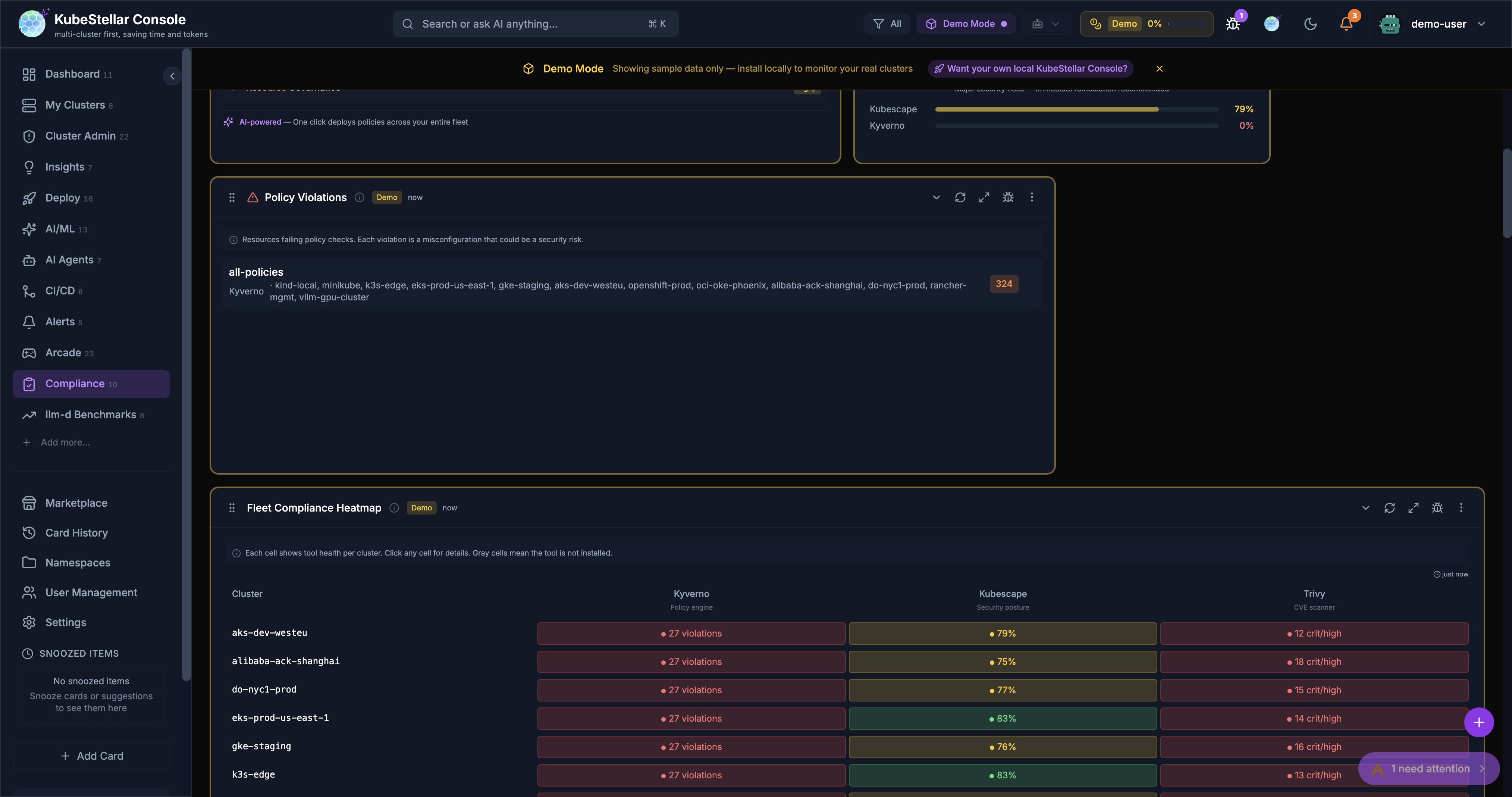
- Policy Violations, Compliance Drift, Cross-Cluster Policy Comparison, and Fleet Compliance Heatmap — all get context banners explaining what the card monitors
Five New Drill-Down Detail Modals
Clicking on any card row now opens a rich detail modal with tabs, actions, and AI-powered remediation:
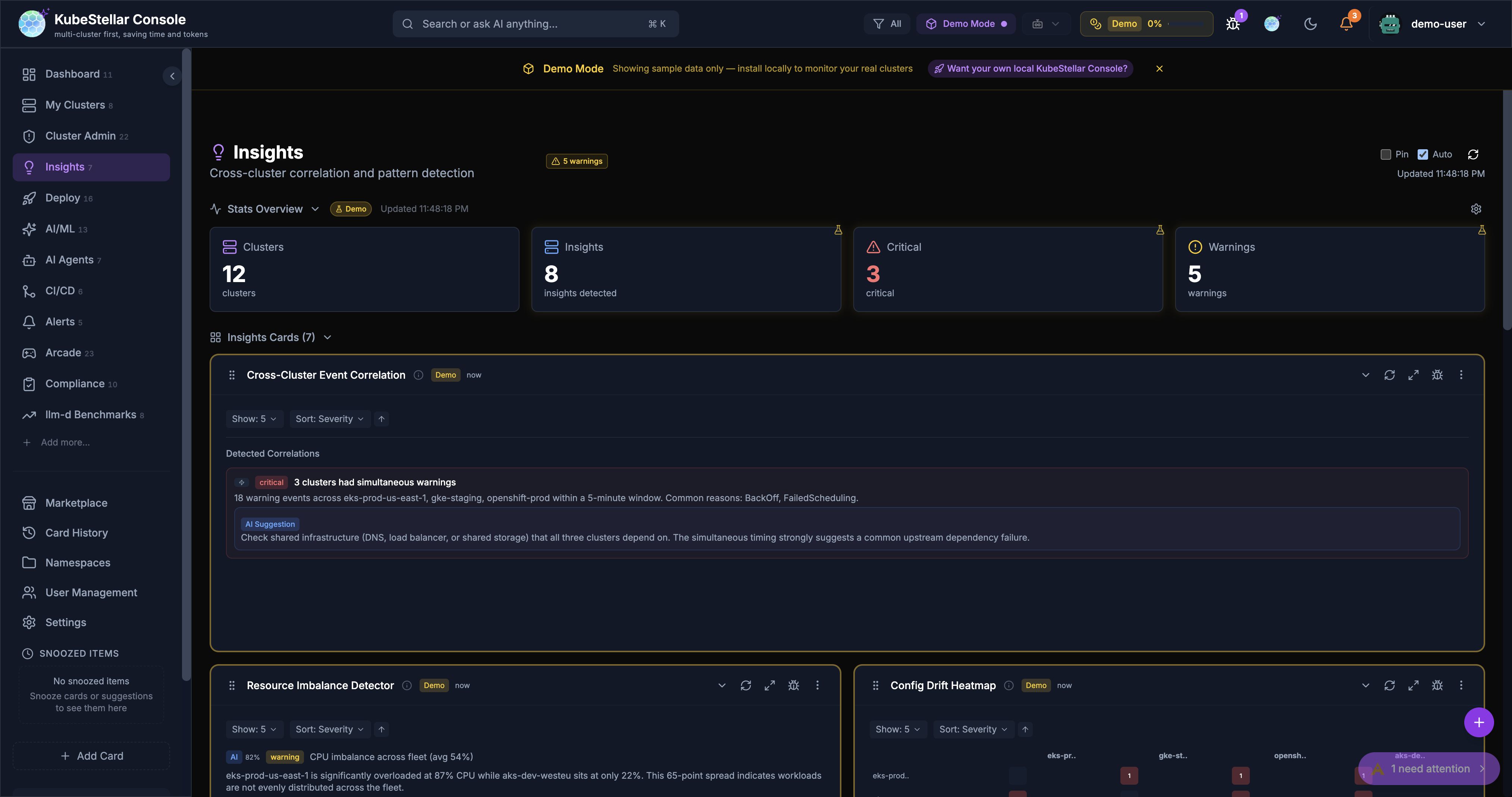
Insights Dashboard
- Insight Detail Modal — 3 tabs (Overview / Evidence / Remediation), with Acknowledge and Dismiss actions, plus a Create Mission button to spawn an AI Mission directly from an insight
Compliance Dashboard
- Compliance Score Breakdown Modal — per-tool tabs (Kubescape / Kyverno) with score gauges and framework-level scores
- Policy Violation Detail Modal — violation details, affected clusters, and a Fix with AI Mission button
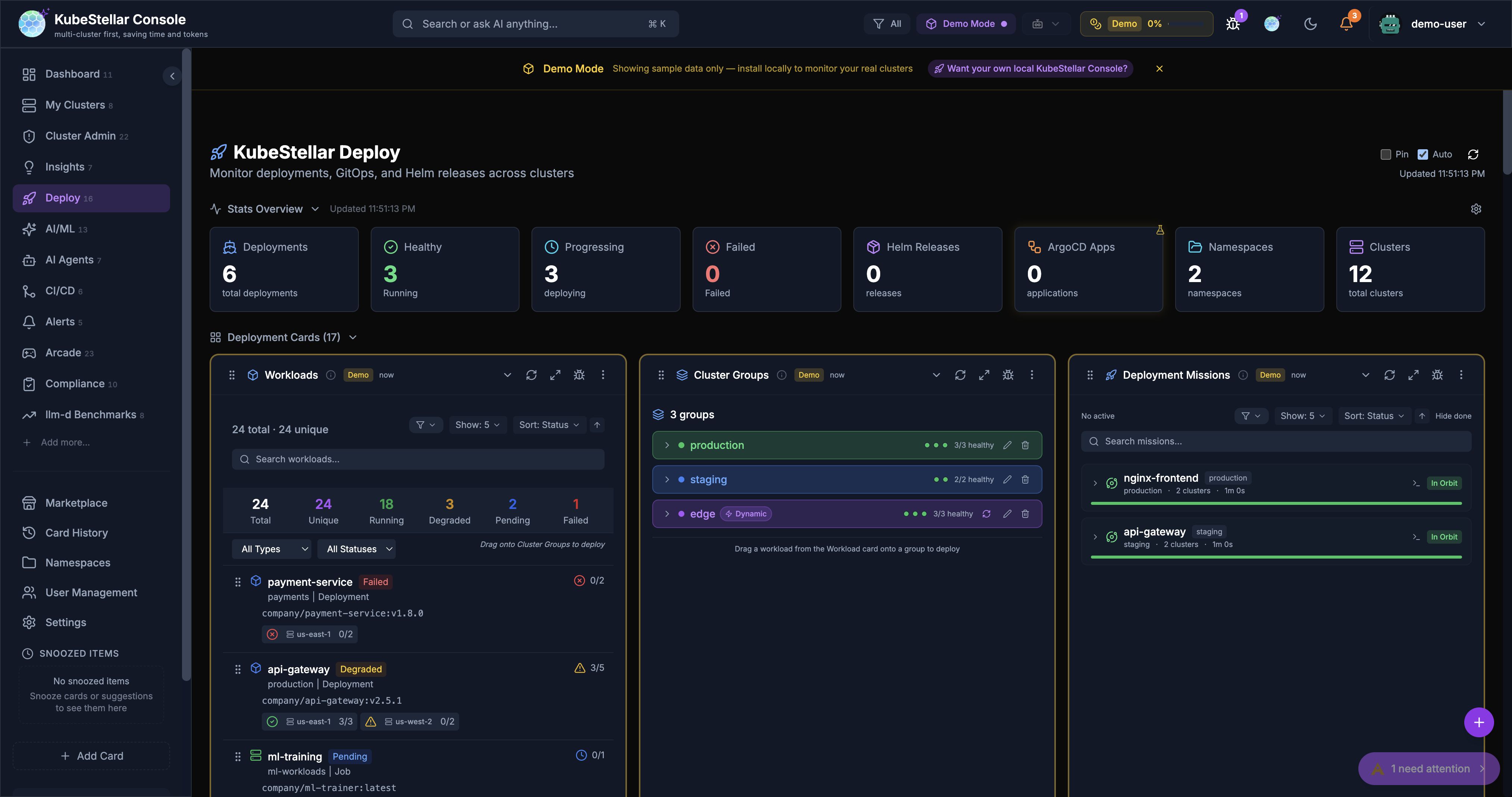
Deploy Dashboard
- GitOps Drift Detail Modal — resource diff details with a Sync with AI Mission button
- Helm History Detail Modal — revision details with a Rollback with AI Mission button
All interactive card rows now have consistent hover states with a chevron icon indicating they are clickable.
Progressive Streaming for Compliance
All three compliance hooks (Kyverno, Trivy, Kubescape) now stream data progressively per cluster. Each cluster’s compliance data renders immediately as it finishes scanning, so you see results within seconds rather than waiting 20+ seconds for the slowest cluster to complete.
KB Submit Enhancement
The Submit to KB dialog in AI Mission resolutions now auto-detects the relevant CNCF project from context (title, namespace, operators, steps) using keyword matching against 50+ CNCF projects. The project field is pre-populated, saving time when contributing mission resolutions to the knowledge base.
Bug Fixes
- Cluster name badges now always appear on compliance cards (previously hidden with single-cluster setups)
- Empty states no longer flash during compliance hook loading — cards show “Scanning clusters…” with a spinner
- Kyverno violations correctly back-populate per-policy violation counts from PolicyReport results
- Analytics page — removed an errant TODO banner
Links
- Try it: console.kubestellar.io
- Source PRs: #2163, #2165, #2166, #2167, #2168, #2169, #2170, #2172
- Documentation: kubestellar.io/docs/console/readme